
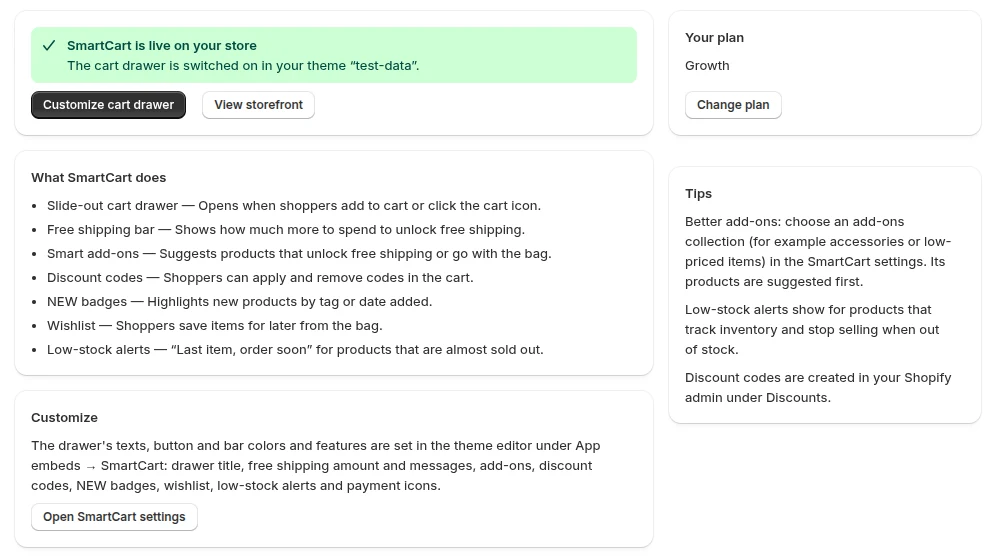
Slide-out cart drawer
Opens when a product is added or the cart icon is clicked, so shoppers never leave the page. Change quantities, remove items and check out from the drawer.
SmartCart replaces your cart with a slide-out drawer that keeps shoppers on the page. Show progress to free shipping or up to three rewards, suggest add-ons, accept discount codes and give free gifts — without touching your theme code.
Why SmartCart
SmartCart gives shoppers a reason to add one more item before checkout — and keeps them shopping while they do it.
Opens when a product is added or the cart icon is clicked, so shoppers never leave the page. Change quantities, remove items and check out from the drawer.
"You're $24 away from Free Shipping" — set your threshold, progress and success messages, and bar colour.
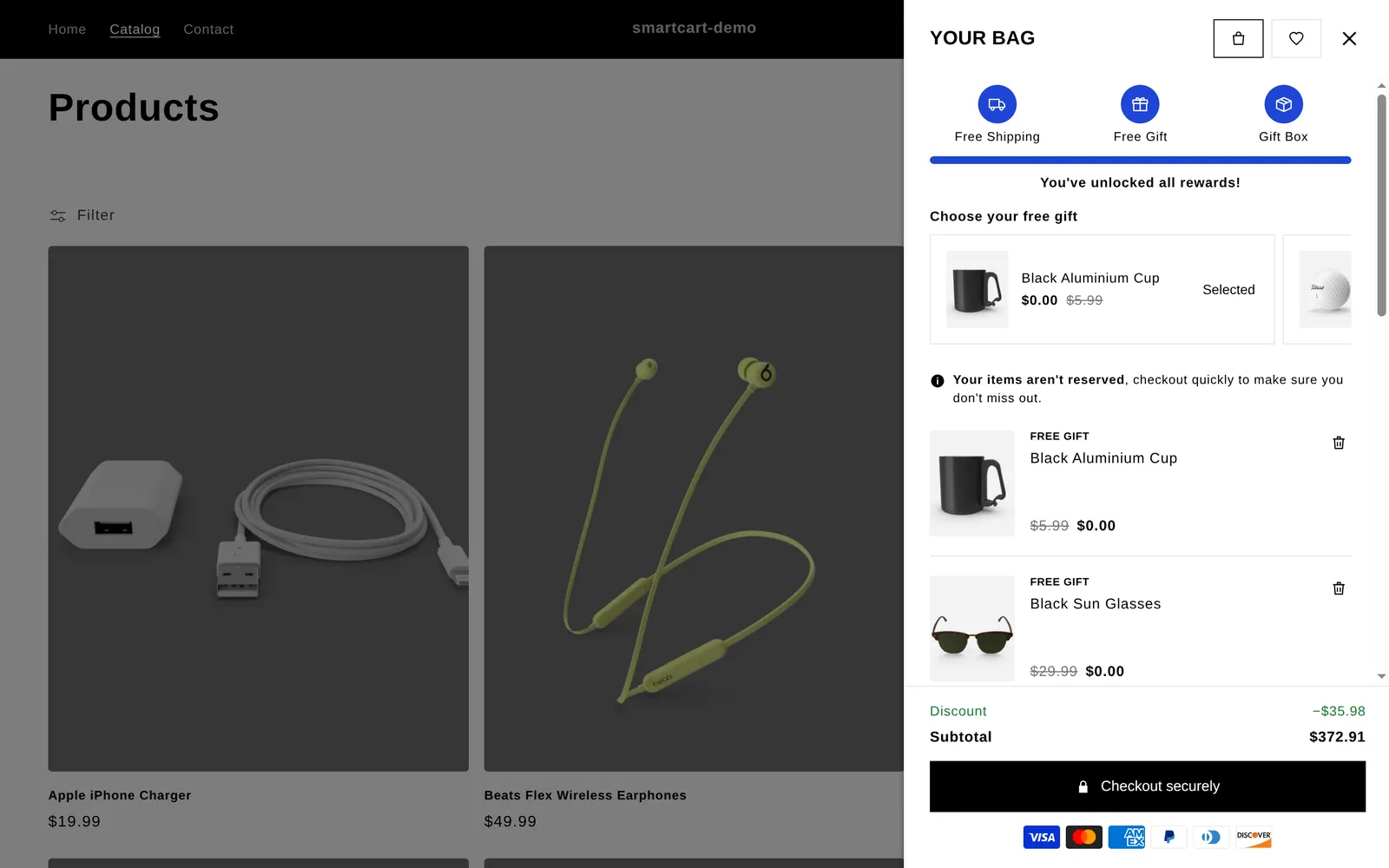
Up to three rewards on one bar: free shipping, a gift the shopper chooses, and an automatic gift. Gifts and shipping are made free at checkout. Growth plan.
Suggest related or complementary products, or pick your own add-ons collection. Items that unlock free shipping are shown first.
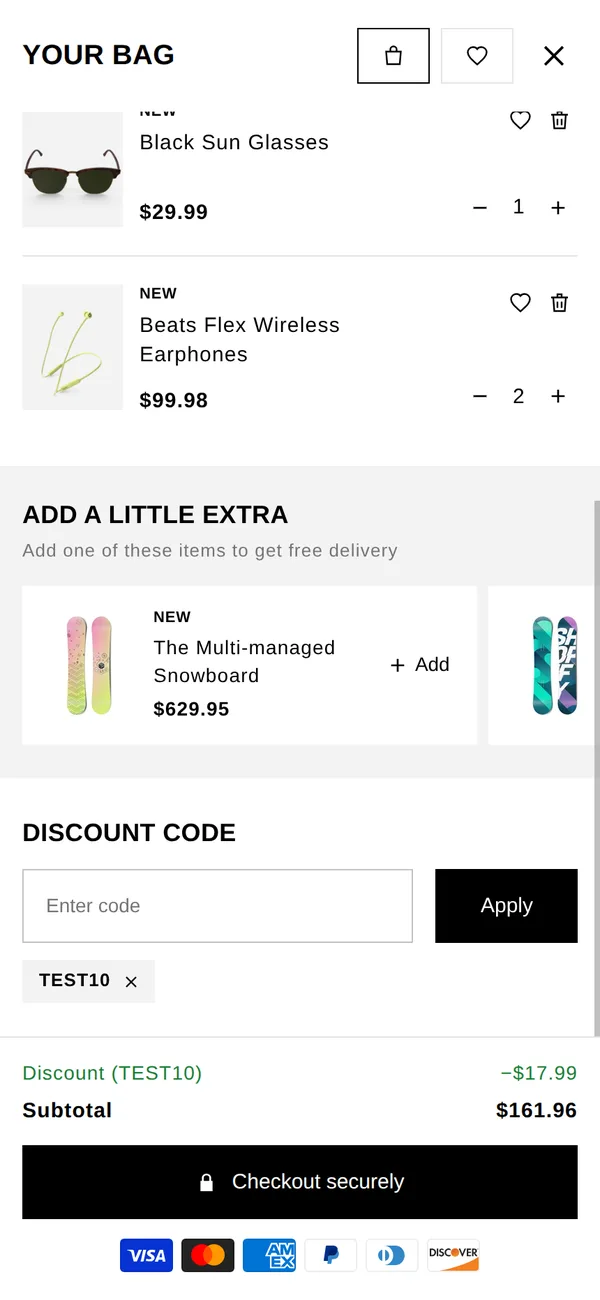
Shoppers apply and remove discount codes in the drawer, and save items to a wishlist to move back to the bag later.
"Your items aren't reserved", "Only 2 left, order soon" for low-stock products, and NEW badges by tag or date added.
See it in action
Real screenshots from our demo store. Click a cart total to see what shoppers see.
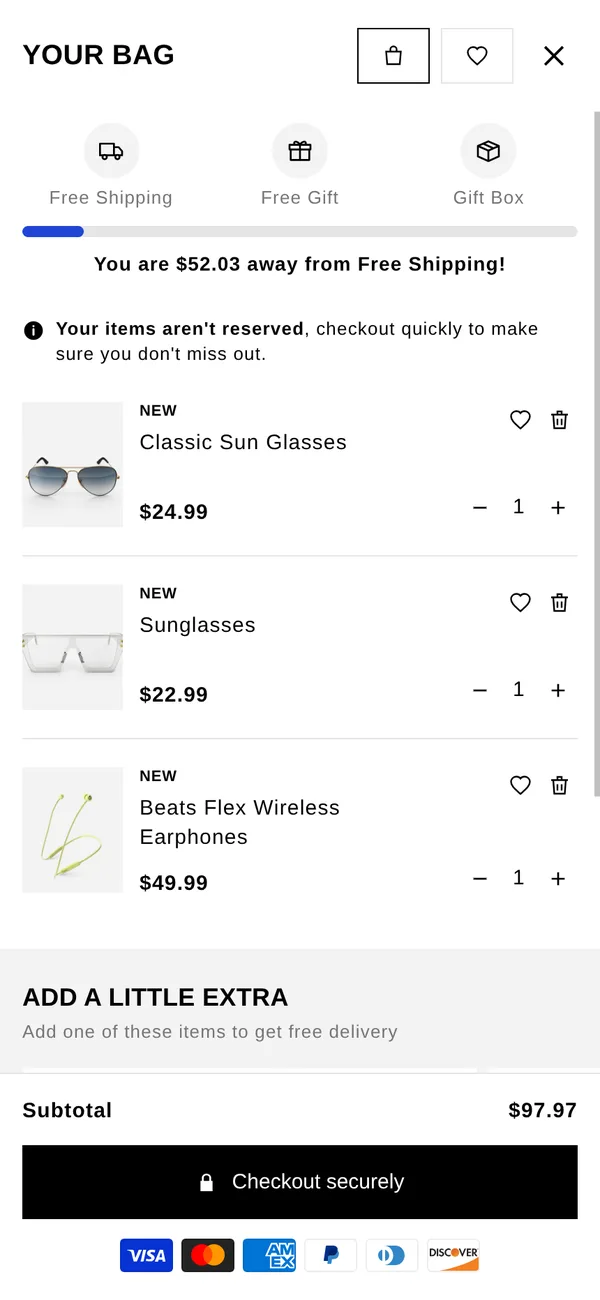
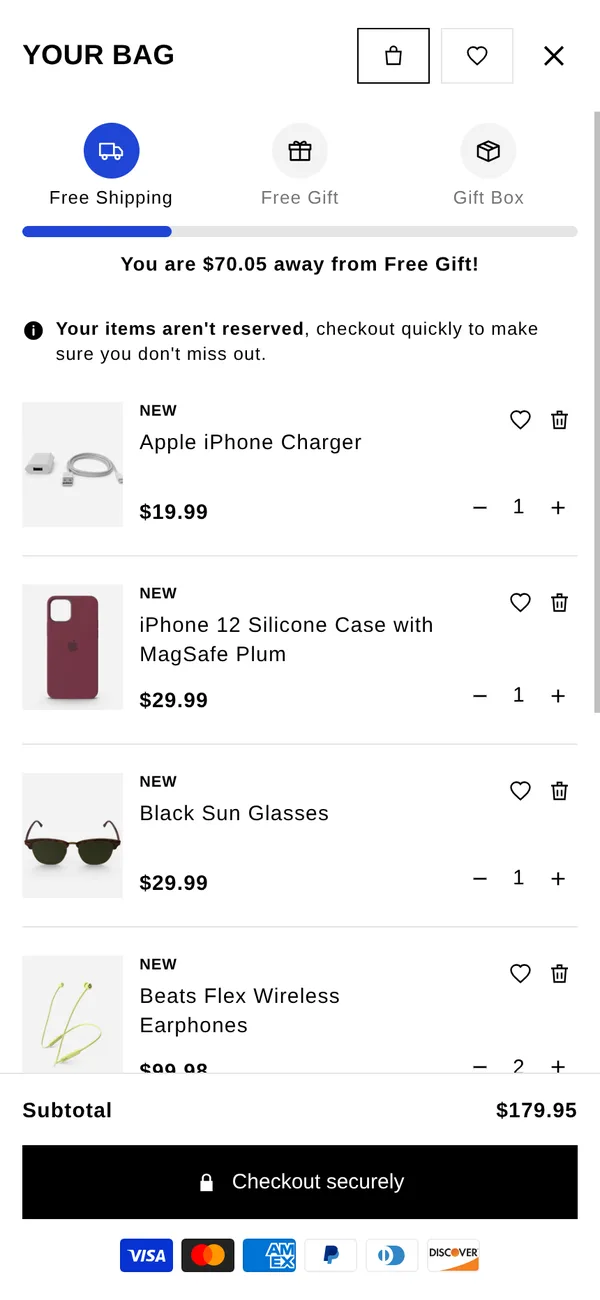
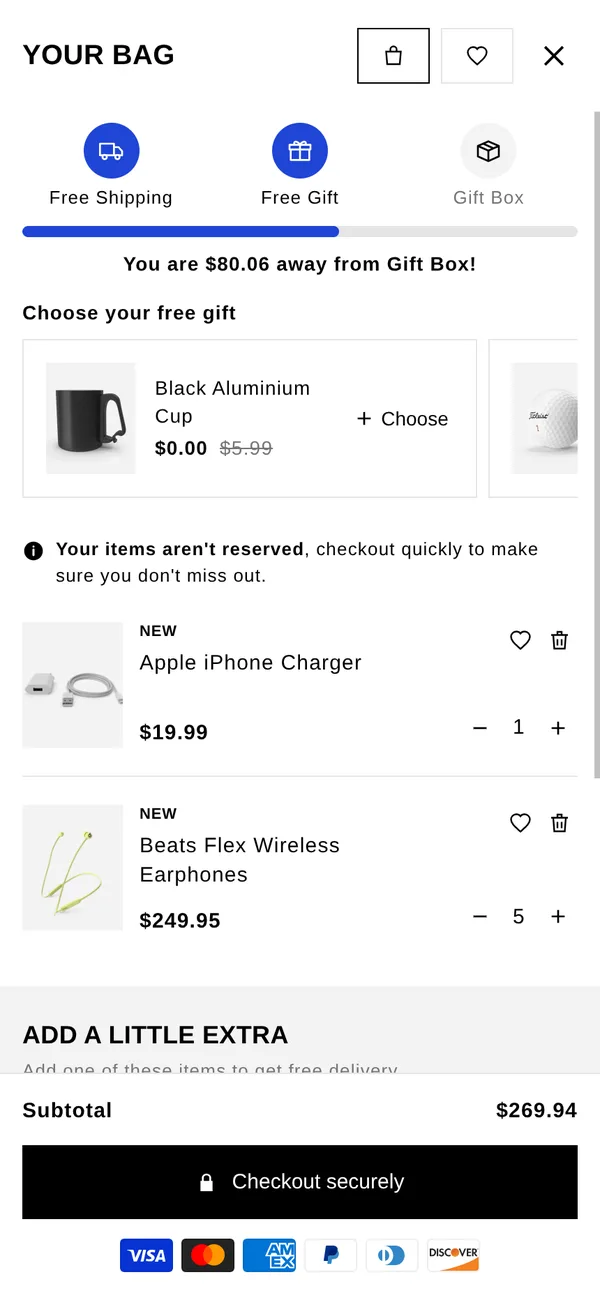
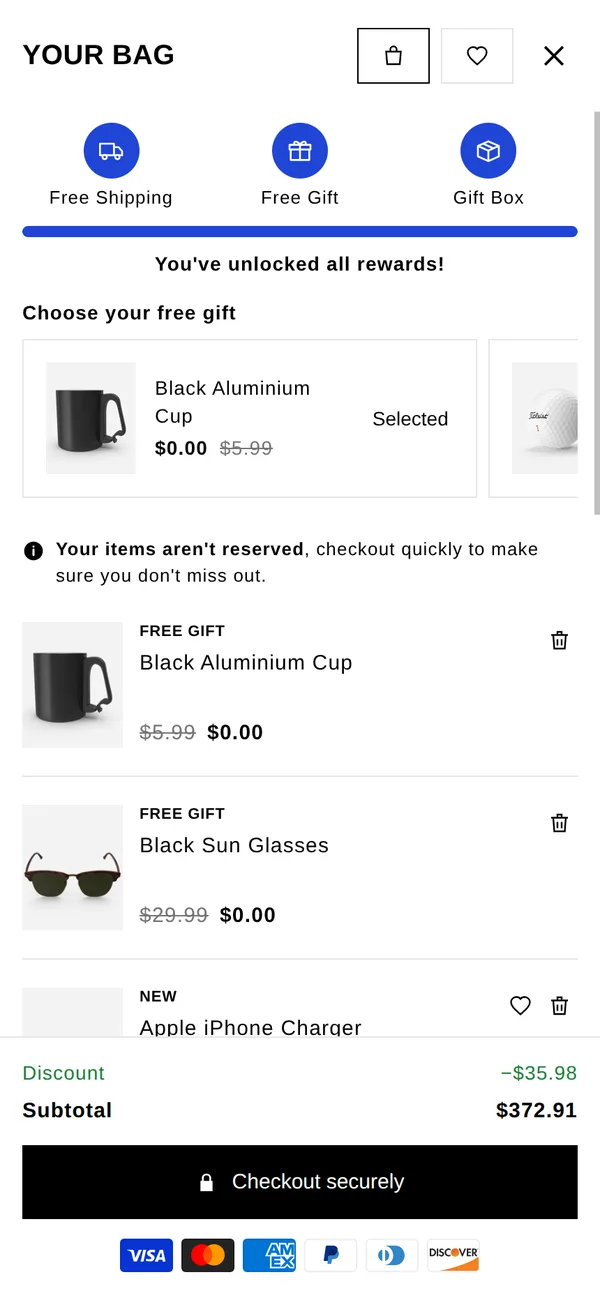
From cart to checkout
The drawer slides out when a product is added or the cart icon is clicked, so shoppers keep browsing instead of loading a cart page.
Shoppers apply and remove codes without leaving the drawer, and the new total shows straight away.
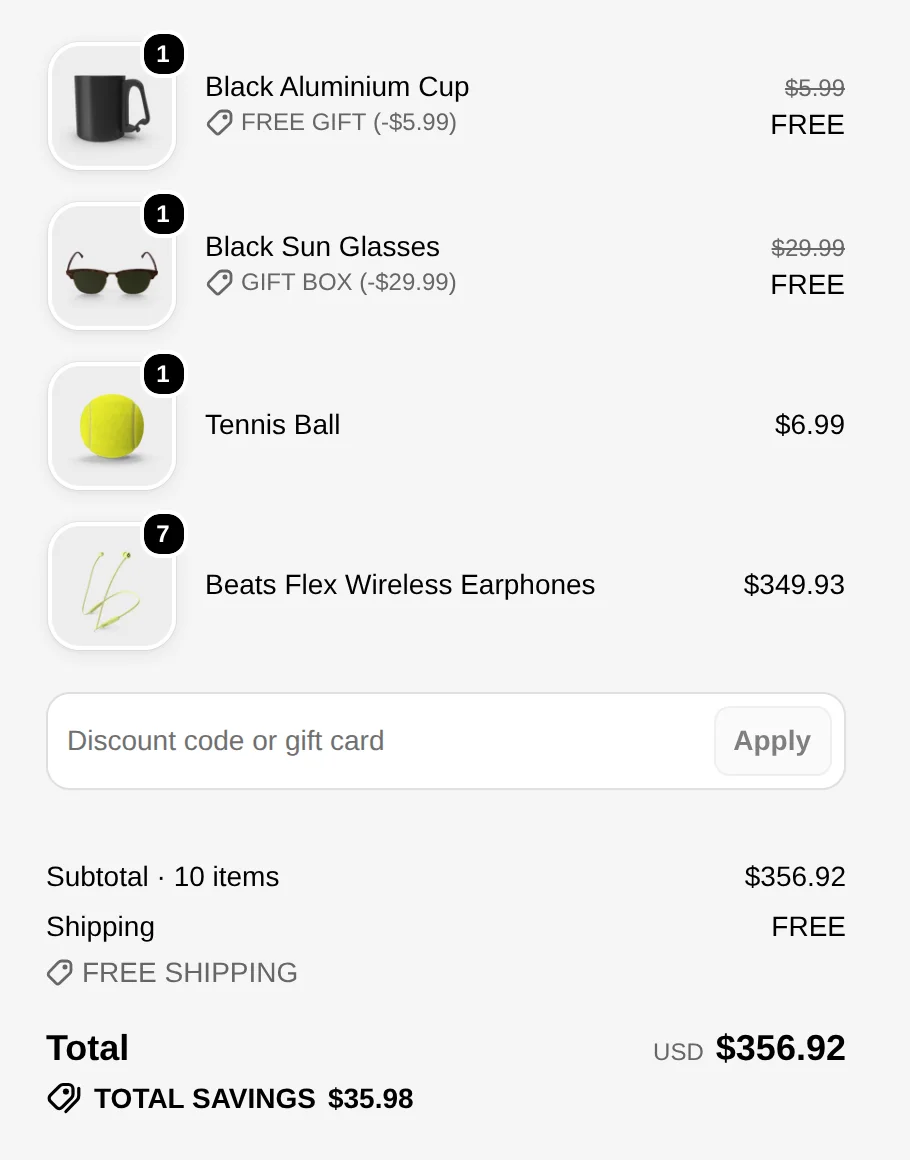
On Growth, SmartCart adds a “SmartCart rewards” discount to your store. Once the cart reaches a tier, Shopify’s checkout shows the gift or shipping as FREE.
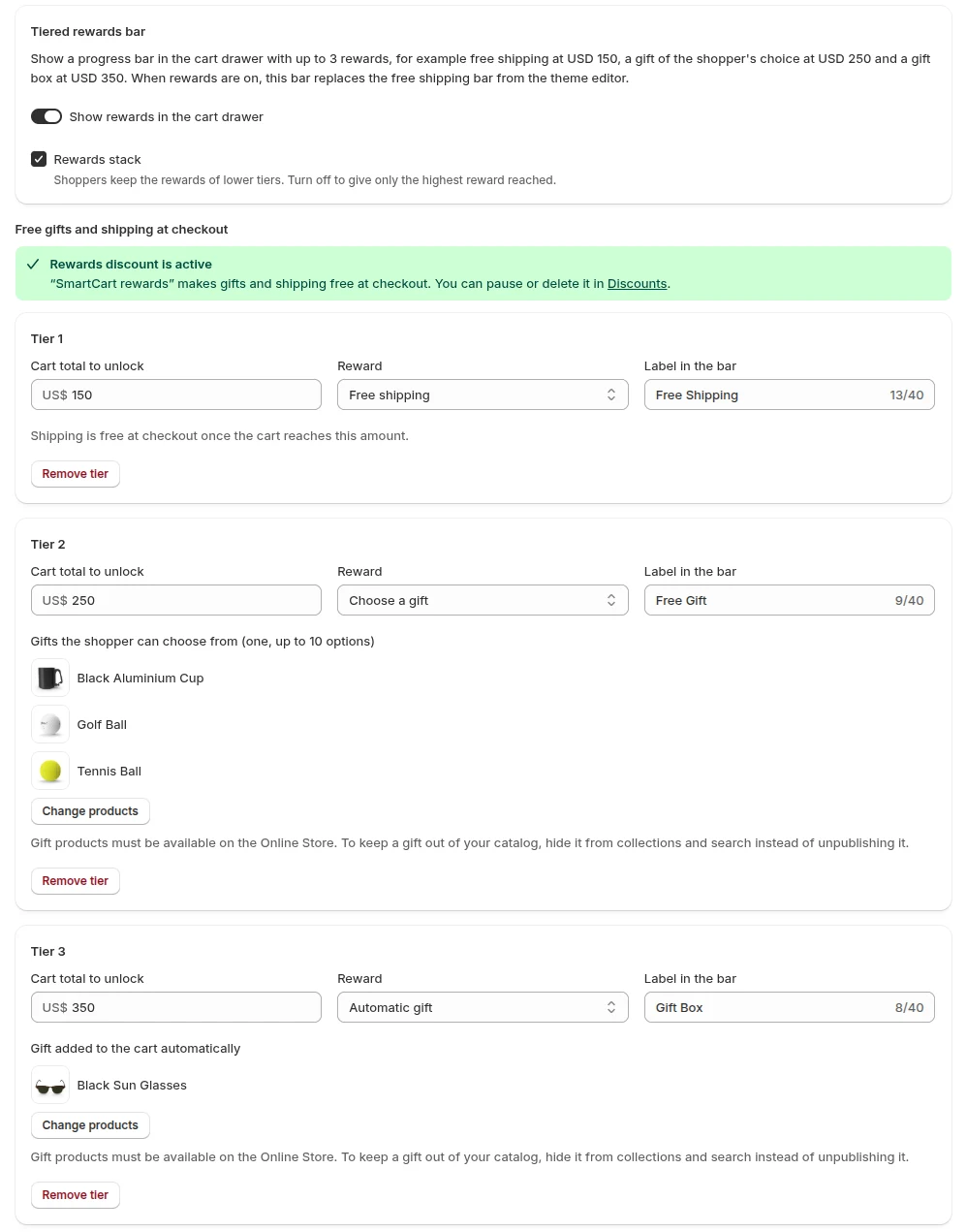
For each tier, pick the cart total, the reward and the label shown in the bar. No theme code to edit.
How it works
Install SmartCart and pick a plan. Every plan starts with a 7-day free trial.
Click Enable SmartCart, switch it on under App embeds in the theme editor and save. No theme code edits.
Edit the drawer's texts, the button and bar colours, the free shipping threshold, add-ons, discount box, badges and payment icons.
On Growth, set up to three reward tiers, pick gift products and activate the rewards discount so gifts and shipping are free at checkout.
Pricing
Both plans include a 7-day free trial and are billed through your Shopify invoice. Change or cancel anytime.
A better cart for every store
Rewards that lift order value
Frequently asked
No. SmartCart is a theme app embed. Switch it on under App embeds in the theme editor, and switch it off there to go back to your theme's cart.
On Growth, SmartCart creates an automatic "SmartCart rewards" discount in your store. At checkout it makes gift items and the cheapest shipping option free once the cart reaches each tier.
Yes, for codes set to combine with product and shipping discounts. The Rewards page lists any of your discounts that don't, so you can update their combinations.
Set reward and free shipping amounts in your store's currency. Shoppers using another currency through Shopify Markets see the amounts converted.
In the shopper's own browser. No account is needed, and SmartCart doesn't store shoppers' personal data.
Yes. Switch between Starter and Growth anytime with Change plan on SmartCart's home page. Uninstalling SmartCart cancels the subscription. Charges appear on your Shopify invoice.
Ready to install?
Install SmartCart and have your new cart drawer live in a few minutes.